Install  Winlink Express on
  Nintendo Switch
Winlink Express
A ham radio messaging client for the Winlink radio email network.
Winlink Express (formerly RMS Express) is the standard Windows client for sending and receiving email over amateur radio, with or without an internet connection. It works with software modems such as VARA FM, VARA HF, and ARDOP.
Winlink Express requires a software modem (such as VARA FM or VARA HF), an amateur radio transceiver, and cables to connect audio and PTT control from your Pi to the transceiver.
Run from Menu: Menu -> Accessories -> Winlink Express
This app runs with the help of Box86/Box64 and Wine.
Fortunately, Winlink Express is very easy to install on your Nintendo Switch in just two steps.
- Install Pi-Apps - the best app installer for Nintendo Switch.
- Use Pi-Apps to install Winlink Express.
Compatibility
For the best chance of this working, we recommend using the latest version of Switchroot L4T Ubuntu Noble, which is currently version 5.1.2 Ubuntu Noble.
Winlink Express will run on L4T Ubuntu ARM64.
Install Pi-Apps
Pi-Apps is a free tool that makes it incredibly easy to install the most useful programs on your Nintendo Switch with just a few clicks.
Open a terminal and run this command to install Pi-Apps:
wget -qO- https://raw.githubusercontent.com/Botspot/pi-apps/master/install | bashFeel free to check out the Pi-Apps source code here: https://github.com/Botspot/pi-apps
Install Winlink Express
Now that you have Pi-Apps installed, it is time to install Winlink Express.
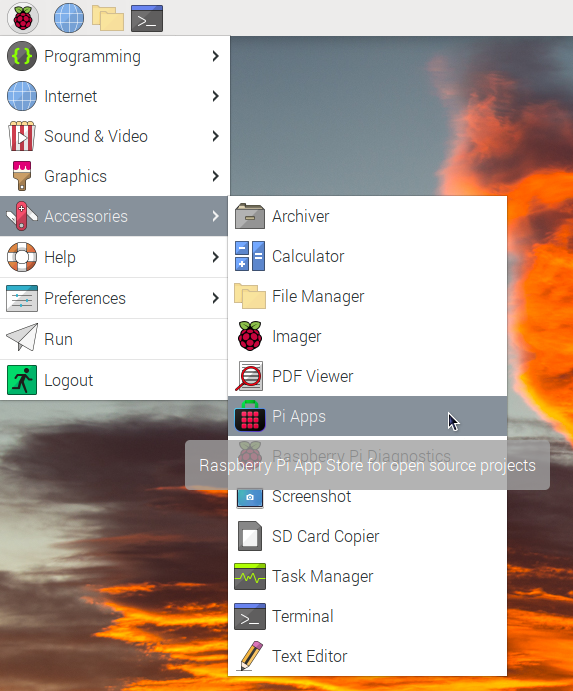
First launch Pi-Apps from your start menu:
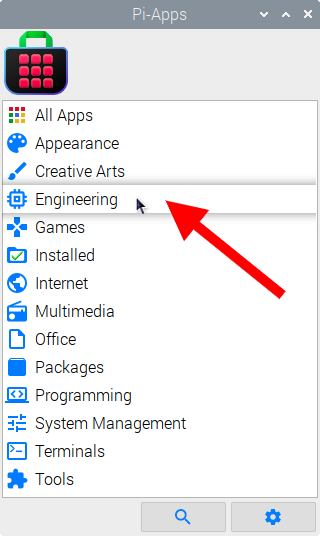
Then click on the Engineering category.
Now scroll down to find Winlink Express in the list.
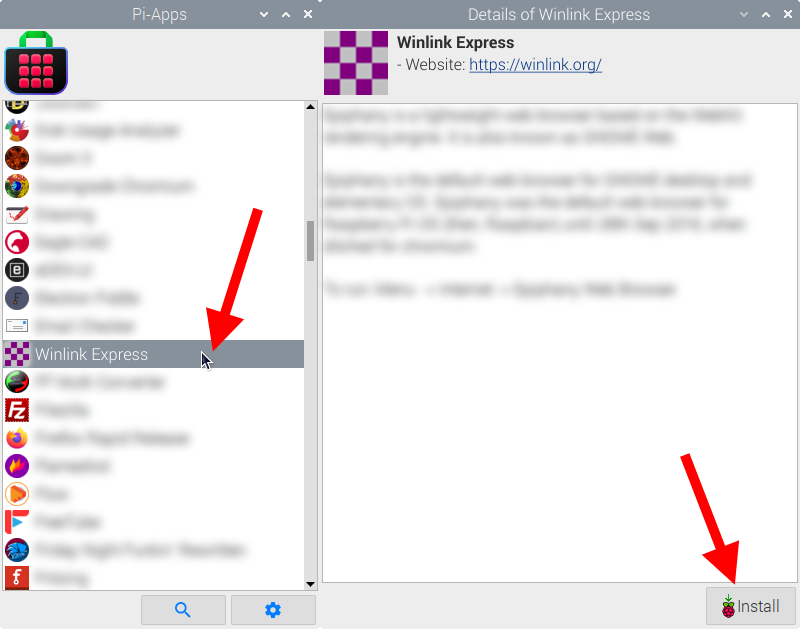
Just click Install and Pi-Apps will install Winlink Express for you!
Pi-Apps is a free and open source tool made by Botspot, theofficialgman, and other contributors. Find out more at https://pi-apps.io