Install  VeraCrypt on
  Raspberry Pi
VeraCrypt
Open source disk encryption software
- Creates a virtual encrypted disk within a file and mounts it as a real disk.
- Encrypts an entire partition or storage device such as USB flash drive or hard drive.
- Encrypts a partition or drive where Windows is installed (pre-boot authentication).
- Encryption is automatic, real-time(on-the-fly) and transparent.
- Parallelization and pipelining allow data to be read and written as fast as if the drive was not encrypted.
- Encryption can be hardware-accelerated on modern processors.
- Provides plausible deniability, in case an adversary forces you to reveal the password: Hidden volume (steganography) and hidden operating system.
- More information about the features of VeraCrypt may be found in the documentation.
To run: Menu -> Accessories -> VeraCrypt
To run in a terminal: veracrypt
Fortunately, VeraCrypt is very easy to install on your Raspberry Pi in just two steps.
- Install Pi-Apps - the best app installer for Raspberry Pi.
- Use Pi-Apps to install VeraCrypt.
Compatibility
For the best chance of this working, we recommend using the latest 64-bit version of Raspberry Pi OS, which is currently version Trixie.
Raspberry Pi OS has 32-bit and 64-bit variants, both of which will run on most Raspberry Pi computers, including the Pi 3, Pi 4, and Pi5.
VeraCrypt will run on either PiOS 32-bit or 64-bit.
Install Pi-Apps
Pi-Apps is a free tool that makes it incredibly easy to install the most useful programs on your Raspberry Pi with just a few clicks.
Open a terminal and run this command to install Pi-Apps:
wget -qO- https://raw.githubusercontent.com/Botspot/pi-apps/master/install | bashFeel free to check out the Pi-Apps source code here: https://github.com/Botspot/pi-apps
Install VeraCrypt
Now that you have Pi-Apps installed, it is time to install VeraCrypt.
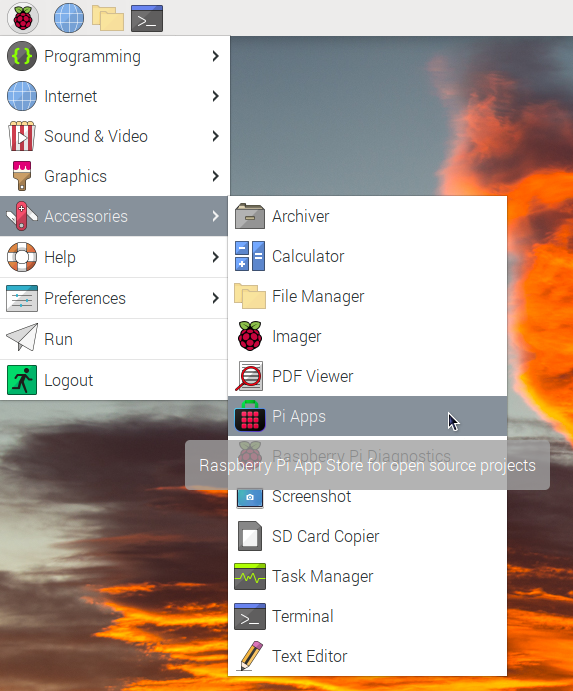
First launch Pi-Apps from your start menu:
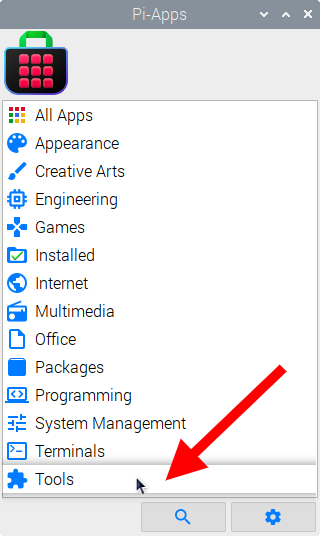
Then click on the Tools category.
Now scroll down to find VeraCrypt in the list.
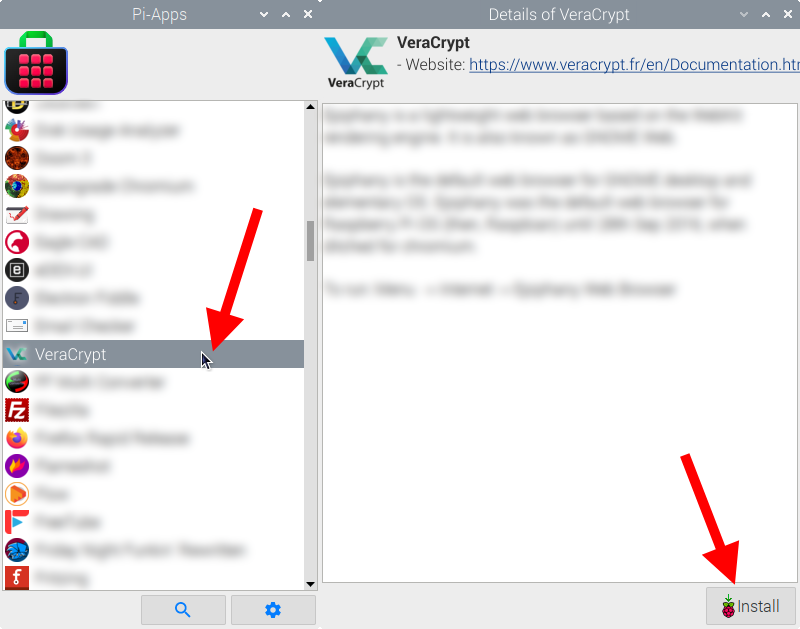
Just click Install and Pi-Apps will install VeraCrypt for you!
Pi-Apps is a free and open source tool made by Botspot, theofficialgman, and other contributors. Find out more at https://pi-apps.io