Install  Steam Link on
  Raspberry Pi
Steam Link
The Steam Link app brings desktop gaming to your Raspberry Pi. Just pair a controller to your device, connect to a computer running Steam on the same local network, and start playing your existing Steam games.
To run: Menu -> Games -> Steam Link
To run in a terminal: steamlink
Fortunately, Steam Link is very easy to install on your Raspberry Pi in just two steps.
- Install Pi-Apps - the best app installer for Raspberry Pi.
- Use Pi-Apps to install Steam Link.
Compatibility
For the best chance of this working, we recommend using the latest 64-bit version of Raspberry Pi OS, which is currently version Trixie.
Raspberry Pi OS has 32-bit and 64-bit variants, both of which will run on most Raspberry Pi computers, including the Pi 3, Pi 4, and Pi5.
Steam Link will run on either PiOS 32-bit or 64-bit.
Install Pi-Apps
Pi-Apps is a free tool that makes it incredibly easy to install the most useful programs on your Raspberry Pi with just a few clicks.
Open a terminal and run this command to install Pi-Apps:
wget -qO- https://raw.githubusercontent.com/Botspot/pi-apps/master/install | bashFeel free to check out the Pi-Apps source code here: https://github.com/Botspot/pi-apps
Install Steam Link
Now that you have Pi-Apps installed, it is time to install Steam Link.
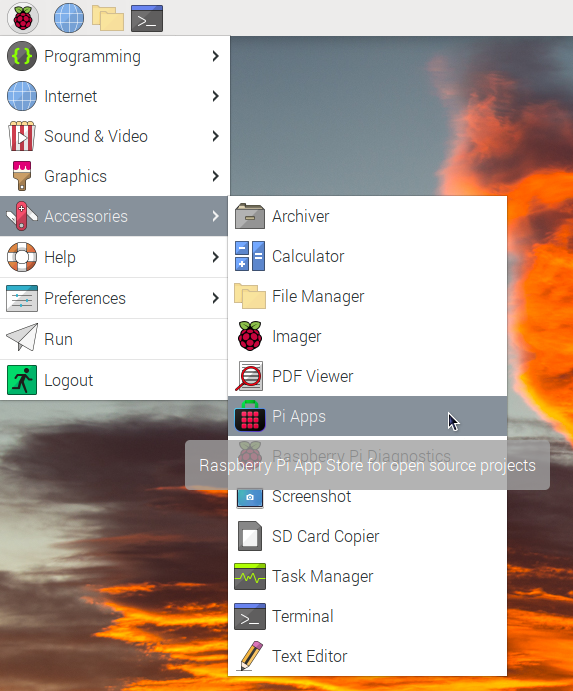
First launch Pi-Apps from your start menu:
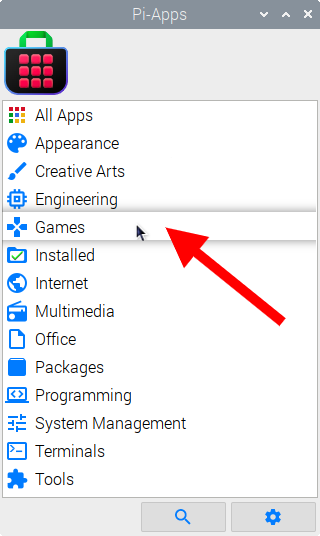
Then click on the Games category.
Now scroll down to find Steam Link in the list.
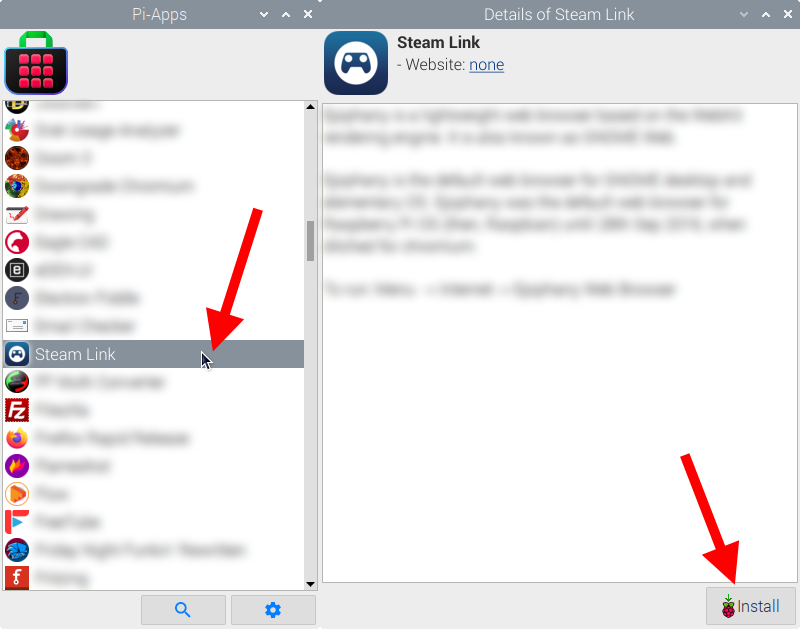
Just click Install and Pi-Apps will install Steam Link for you!
Pi-Apps is a free and open source tool made by Botspot, theofficialgman, and other contributors. Find out more at https://pi-apps.io