Install  qBittorrent on
  Raspberry Pi
qBittorrent
Open-source software alternative to µTorrent.
To run: Menu -> Internet -> qBittorrent
To run in a terminal: qbittorrentThis app is a bittorrent downloading and uploading application simiar to uTorrent, Transmission and Deluge.
- Polished µTorrent-like User Interface
- No Ads
- Well-integrated and extensible Search Engine
- Simultaneous search in many Torrent search sites
- Category-specific search requests (e.g. Books, Music, Software)
- RSS feed support with advanced download filters (incl. regex)
- Many Bittorrent extensions supported:
- Magnet links
- Distributed hash table (DHT), peer exchange protocol (PEX), local peer discovery (LSD)
- Private torrents
- Encrypted connections
- and many more...
- Remote control through Web user interface, written with AJAX
- Nearly identical to the regular GUI
- Sequential downloading (Download in order)
- Advanced control over torrents, trackers and peers
- Torrents queueing and prioritizing
- Torrent content selection and prioritizing
- Bandwidth scheduler
- Torrent creation tool
- IP Filtering (eMule & PeerGuardian format compatible)
- IPv6 compliant
- UPnP / NAT-PMP port forwarding support
Fortunately, qBittorrent is very easy to install on your Raspberry Pi in just two steps.
- Install Pi-Apps - the best app installer for Raspberry Pi.
- Use Pi-Apps to install qBittorrent.
Compatibility
For the best chance of this working, we recommend using the latest 64-bit version of Raspberry Pi OS, which is currently version Trixie.
Raspberry Pi OS has 32-bit and 64-bit variants, both of which will run on most Raspberry Pi computers, including the Pi 3, Pi 4, and Pi5.
qBittorrent will run on either PiOS 32-bit or 64-bit.
Install Pi-Apps
Pi-Apps is a free tool that makes it incredibly easy to install the most useful programs on your Raspberry Pi with just a few clicks.
Open a terminal and run this command to install Pi-Apps:
wget -qO- https://raw.githubusercontent.com/Botspot/pi-apps/master/install | bashFeel free to check out the Pi-Apps source code here: https://github.com/Botspot/pi-apps
Install qBittorrent
Now that you have Pi-Apps installed, it is time to install qBittorrent.
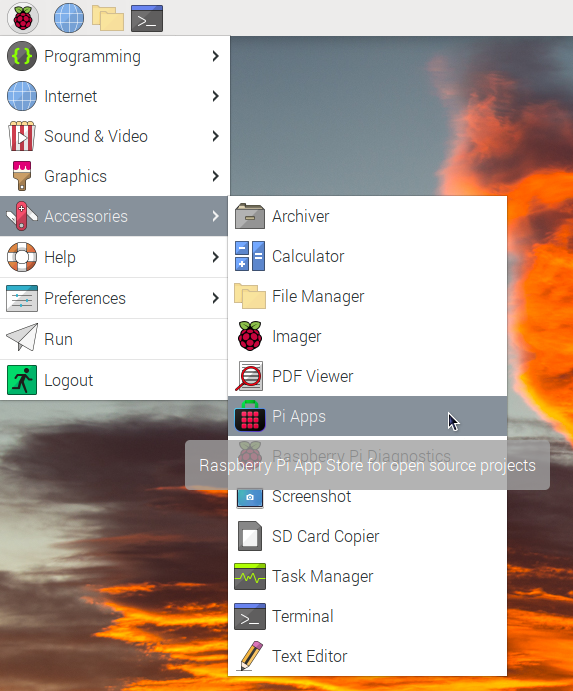
First launch Pi-Apps from your start menu:
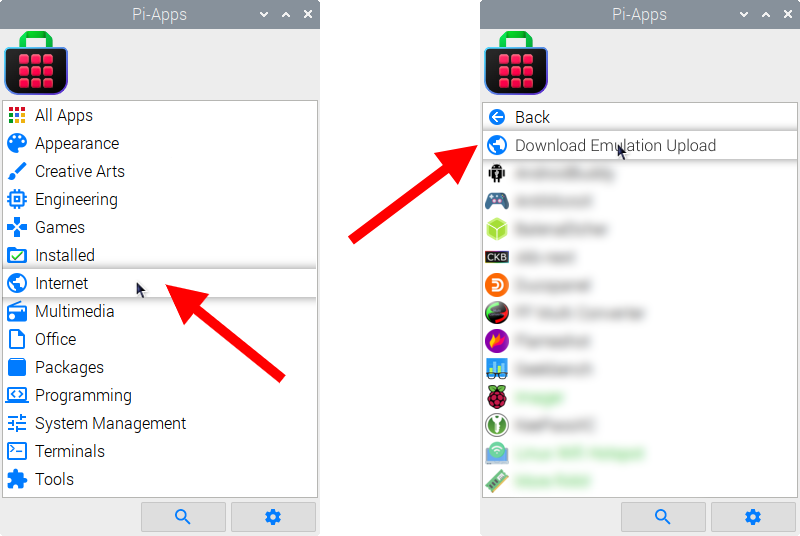
Then click on the Internet category, which leads to the Download & Upload category.
Now scroll down to find qBittorrent in the list.
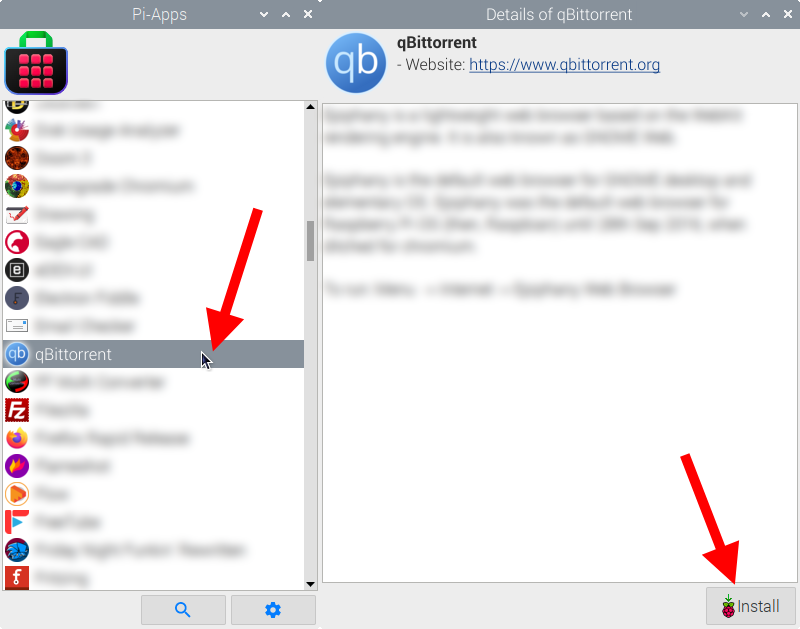
Just click Install and Pi-Apps will install qBittorrent for you!
Pi-Apps is a free and open source tool made by Botspot, theofficialgman, and other contributors. Find out more at https://pi-apps.io