Install  Pycharm CE on
  Nintendo Switch
Pycharm CE
Python IDE for Professional and Educational Developers.
PyCharm is now one powerful, unified product! Its core functionality, including Jupyter Notebook support, will be free, and a Pro subscription will be available with additional features. Starting with the 2025.1 release, every user will get instant access to a free one-month Pro trial, so you’ll be able to access all of PyCharm’s advanced features right away. After the trial, you can choose whether to continue with a Pro subscription or keep using the core features for free.
Previously, PyCharm was offered as two separate products: the free Community Edition (which was used in Pi-Apps) and the Professional Edition with extended capabilities. Now, with a single streamlined product, you no longer need to choose. Everything is in one place, and you can seamlessly switch between core and advanced features within the same installation whenever you need to.
You must configure the IDE to run each script ("py" file), or create a new environment.
For Educational purposes, the "EDUtools" plugin can be installed. Go to the right corner from the Pycharm start up portal: Configurate > Plugins > Search for: EDUtools > Install it and restart the IDE. Then you will able to select "Learn and Teach" for courses.WARNING for all 32-bit OS users: All JetBrains applications are deprecated on 32-bit OS. Move to a 64-bit OS to be able to use the latest version.
To run: Menu -> Programming -> Pycharm
To run in a terminal: /opt/pycharm-community/bin/pycharm.sh
Fortunately, Pycharm CE is very easy to install on your Nintendo Switch in just two steps.
- Install Pi-Apps - the best app installer for Nintendo Switch.
- Use Pi-Apps to install Pycharm CE.
Compatibility
For the best chance of this working, we recommend using the latest version of Switchroot L4T Ubuntu Noble, which is currently version 5.1.2 Ubuntu Noble.
Pycharm CE will run on L4T Ubuntu ARM64.
Install Pi-Apps
Pi-Apps is a free tool that makes it incredibly easy to install the most useful programs on your Nintendo Switch with just a few clicks.
Open a terminal and run this command to install Pi-Apps:
wget -qO- https://raw.githubusercontent.com/Botspot/pi-apps/master/install | bashFeel free to check out the Pi-Apps source code here: https://github.com/Botspot/pi-apps
Install Pycharm CE
Now that you have Pi-Apps installed, it is time to install Pycharm CE.
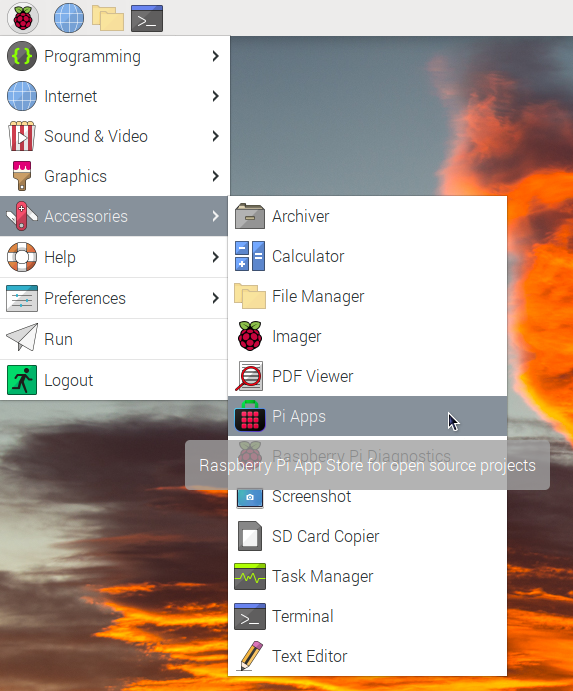
First launch Pi-Apps from your start menu:
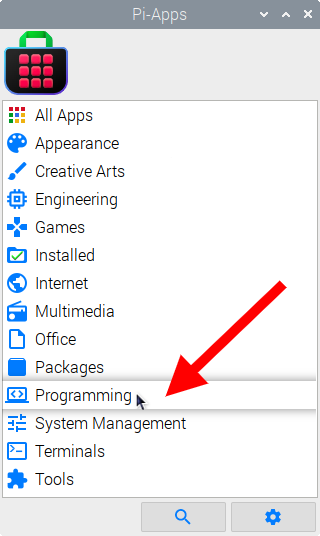
Then click on the Programming category.
Now scroll down to find Pycharm CE in the list.
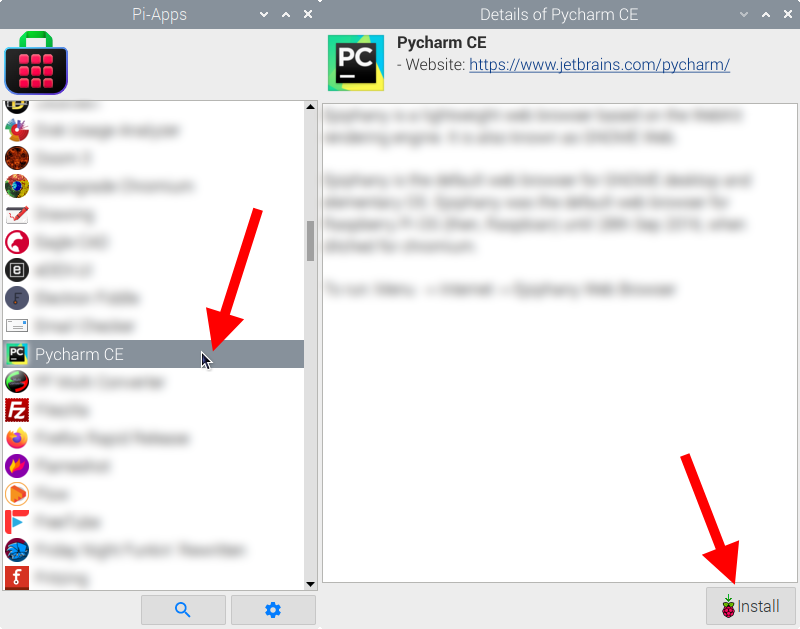
Just click Install and Pi-Apps will install Pycharm CE for you!
Pi-Apps is a free and open source tool made by Botspot, theofficialgman, and other contributors. Find out more at https://pi-apps.io