Install  PeaZip on
  Raspberry Pi
PeaZip
PeaZip is free file archiver utility, based on Open Source technologies of 7-Zip, p7zip, Brotli, FreeArc, PAQ, Zstandard, and PEA projects.
Cross-platform, full-featured but user-friendly alternative to WinRar, WinZip and similar general purpose archive manager applications, open and extract 200+ archive formats: 001, 7Z, ACE, ARC, ARJ, BR, BZ2, CAB, DMG, GZ, ISO, LHA, PAQ, PEA, RAR, TAR, UDF, WIM, XZ, ZIP, ZIPX, ZST - view full list of supported archive file formats for archiving and for extraction.
To run: PeaZip
To run in a terminal: flatpak run --file-forwarding io.github.peazip.PeaZip
Fortunately, PeaZip is very easy to install on your Raspberry Pi in just two steps.
- Install Pi-Apps - the best app installer for Raspberry Pi.
- Use Pi-Apps to install PeaZip.
Compatibility
For the best chance of this working, we recommend using the latest 64-bit version of Raspberry Pi OS, which is currently version Trixie.
Raspberry Pi OS has 32-bit and 64-bit variants, both of which will run on most Raspberry Pi computers, including the Pi 3, Pi 4, and Pi5.
PeaZip will only run on PiOS 64-bit. Pi-Apps will not let you install PeaZip on PiOS 32-bit.
Install Pi-Apps
Pi-Apps is a free tool that makes it incredibly easy to install the most useful programs on your Raspberry Pi with just a few clicks.
Open a terminal and run this command to install Pi-Apps:
wget -qO- https://raw.githubusercontent.com/Botspot/pi-apps/master/install | bashFeel free to check out the Pi-Apps source code here: https://github.com/Botspot/pi-apps
Install PeaZip
Now that you have Pi-Apps installed, it is time to install PeaZip.
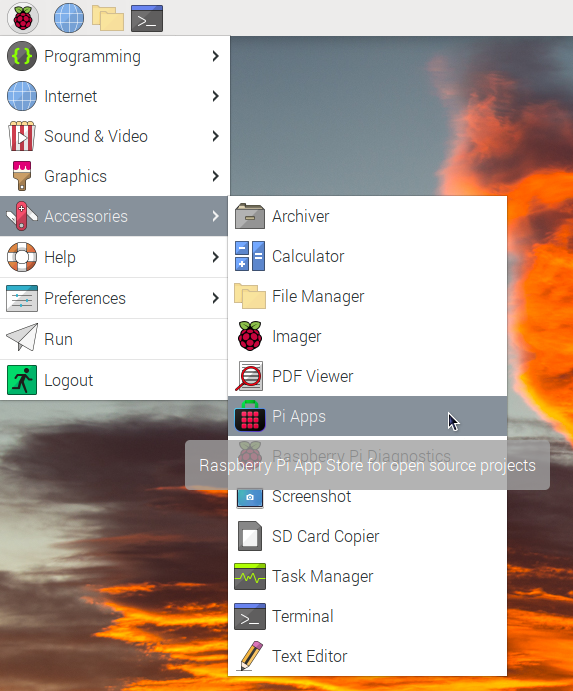
First launch Pi-Apps from your start menu:
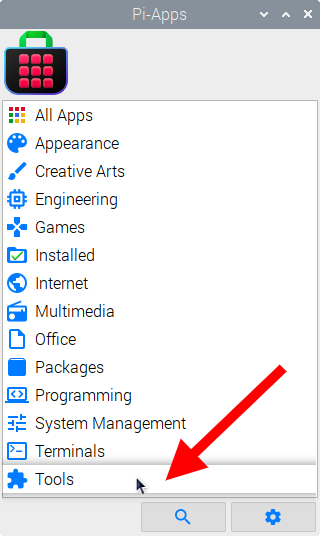
Then click on the Tools category.
Now scroll down to find PeaZip in the list.
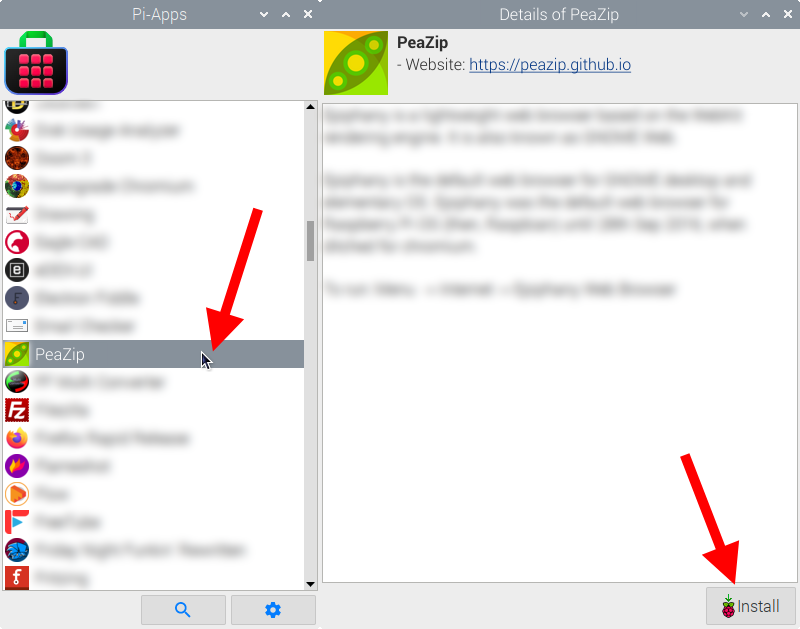
Just click Install and Pi-Apps will install PeaZip for you!
Pi-Apps is a free and open source tool made by Botspot, theofficialgman, and other contributors. Find out more at https://pi-apps.io