Install  iDescriptor on
  Nvidia Jetson
iDescriptor
Open-source management tool for iPads and iPhones
This is a native Linux alternative to iTunes and macOS. Simply connect your iDevice using a USB cable (or wireless pairing) and start browsing files, installing apps, viewing the display, or more advanced actions like checking battery health.Features include:
- iFuse Filesystem Mount: Mount the device's filesystem and use it as a regular drive for reading and writing files.
- Wireless Gallery Import: Import photos wirelessly (requires the Shortcuts app on the iDevice).
- App Store: Download and install apps directly from the Apple Store (requires Apple ID sign-in).
- AirPlay / Live Screen: Cast your device screen to your computer.
- Virtual Location: Simulate GPS locations on your iDevice.
- Device Backups: Experimental support for backing up data from devices running iOS 13 and newer.
- Hardware Info: Read detailed battery information and check the authenticity of connected USB cables.
- SSH Terminal: Open a terminal on your jailbroken iDevice.
To run: Menu -> Accessories -> iDescriptor
To run in a terminal: flatpak run io.github.idescriptor.iDescriptor
Fortunately, iDescriptor is very easy to install on your Nvidia Jetson in just two steps.
- Install Pi-Apps - the best app installer for Nvidia Jetson.
- Use Pi-Apps to install iDescriptor.
Compatibility
For the best chance of this working, we recommend using the latest version of Nvidia Jetpack for your specific Jetson (Jetson Xavier or Jetson Orin).
iDescriptor will run on L4T Ubuntu ARM64.
Install Pi-Apps
Pi-Apps is a free tool that makes it incredibly easy to install the most useful programs on your Nvidia Jetson with just a few clicks.
Open a terminal and run this command to install Pi-Apps:
wget -qO- https://raw.githubusercontent.com/Botspot/pi-apps/master/install | bashFeel free to check out the Pi-Apps source code here: https://github.com/Botspot/pi-apps
Install iDescriptor
Now that you have Pi-Apps installed, it is time to install iDescriptor.
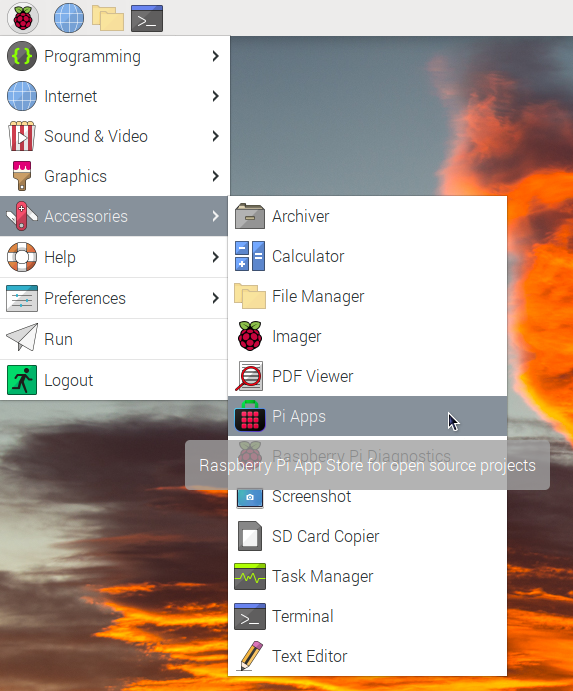
First launch Pi-Apps from your start menu:
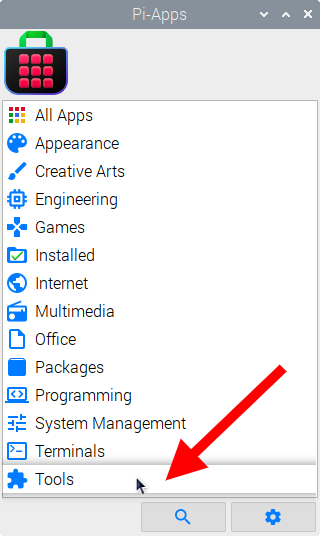
Then click on the Tools category.
Now scroll down to find iDescriptor in the list.
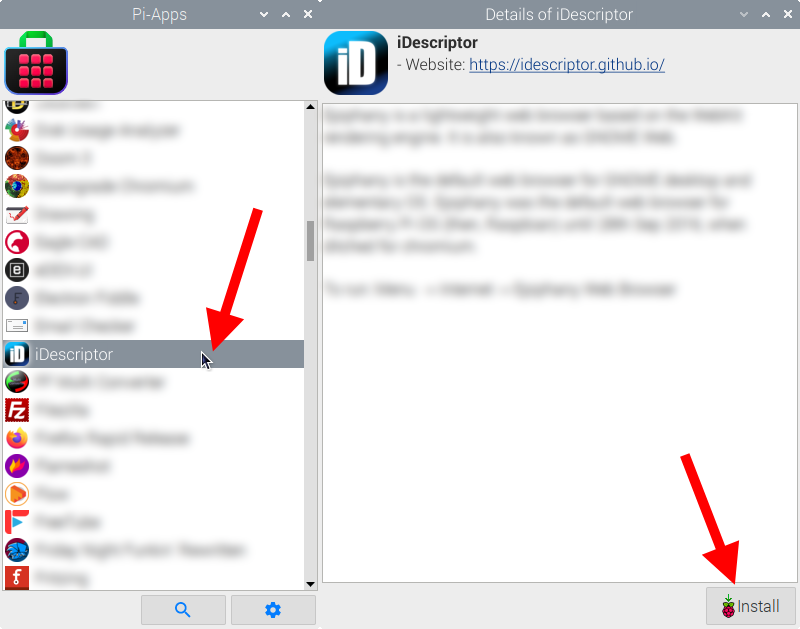
Just click Install and Pi-Apps will install iDescriptor for you!
Pi-Apps is a free and open source tool made by Botspot, theofficialgman, and other contributors. Find out more at https://pi-apps.io