Install  Heroes 2 on
  Nvidia Jetson
Heroes 2
Free implementation of Heroes of Might and Magic II game engine.
This package installs the shareware version, if you own the full game you can copy the game data to /opt/fheroes2 directory (replacing existing files).
To run: Menu -> Games -> Free Heroes 2
To run in a terminal: fheroes2
Fortunately, Heroes 2 is very easy to install on your Nvidia Jetson in just two steps.
- Install Pi-Apps - the best app installer for Nvidia Jetson.
- Use Pi-Apps to install Heroes 2.
Compatibility
For the best chance of this working, we recommend using the latest version of Nvidia Jetpack for your specific Jetson (Jetson Xavier or Jetson Orin).
Heroes 2 will run on L4T Ubuntu ARM64.
Install Pi-Apps
Pi-Apps is a free tool that makes it incredibly easy to install the most useful programs on your Nvidia Jetson with just a few clicks.
Open a terminal and run this command to install Pi-Apps:
wget -qO- https://raw.githubusercontent.com/Botspot/pi-apps/master/install | bashFeel free to check out the Pi-Apps source code here: https://github.com/Botspot/pi-apps
Install Heroes 2
Now that you have Pi-Apps installed, it is time to install Heroes 2.
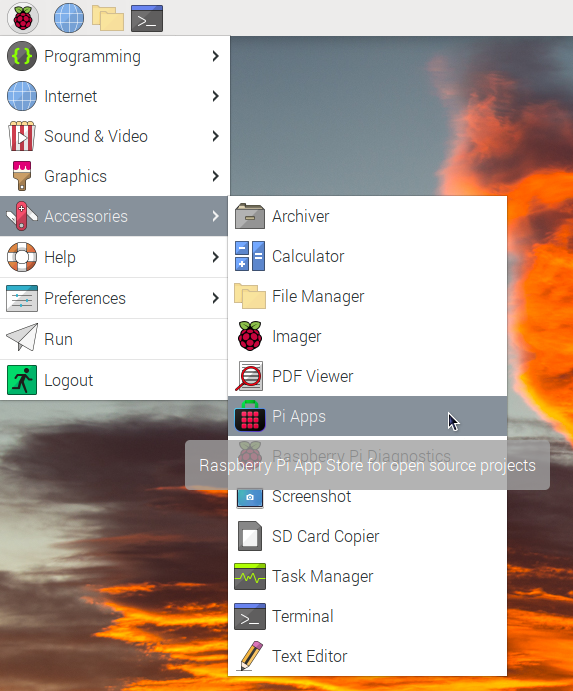
First launch Pi-Apps from your start menu:
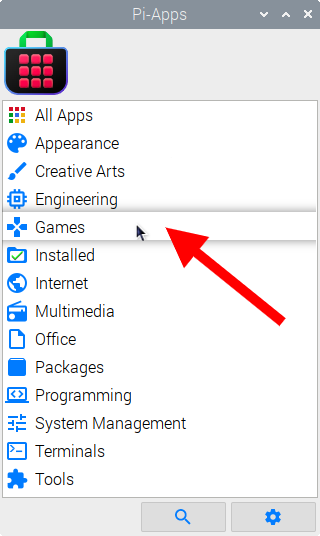
Then click on the Games category.
Now scroll down to find Heroes 2 in the list.
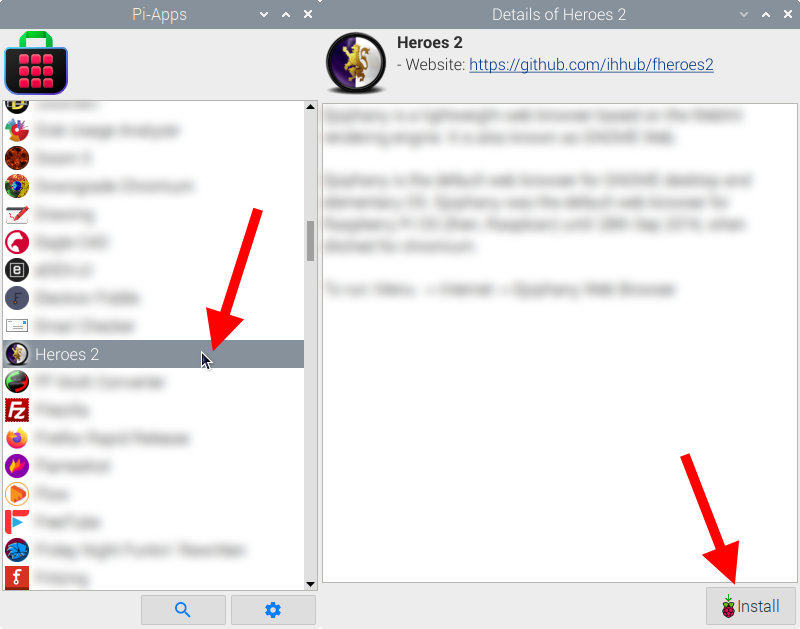
Just click Install and Pi-Apps will install Heroes 2 for you!
Pi-Apps is a free and open source tool made by Botspot, theofficialgman, and other contributors. Find out more at https://pi-apps.io