Install  Chrome on
  Raspberry Pi
Chrome
Google Chrome browser - stable, beta, unstable, canary versions
This is Google's official Chrome ARM Linux build. Our installer will offer the stable version, but you can also click the checkbox to install Beta, Unstable, and Canary versions if you prefer to run the latest version.Updates are not handled by Pi-Apps, but through normal apt package updates.
Note: for privacy reasons, we recommend most users continue using Chromium builds. The Chromium build from Pi OS is open source and has minor performance tweaks and better default privacy settings. It also supports Widevine video playback and Google account sync, if you use the Better Chromium app from Pi-Apps.
If you are not on Pi OS and want the Pi OS version of Chromium, go visit the Downgrade Chromium app on Pi-Apps.
Fortunately, Chrome is very easy to install on your Raspberry Pi in just two steps.
- Install Pi-Apps - the best app installer for Raspberry Pi.
- Use Pi-Apps to install Chrome.
Compatibility
For the best chance of this working, we recommend using the latest 64-bit version of Raspberry Pi OS, which is currently version Trixie.
Raspberry Pi OS has 32-bit and 64-bit variants, both of which will run on most Raspberry Pi computers, including the Pi 3, Pi 4, and Pi5.
Chrome will only run on PiOS 64-bit. Pi-Apps will not let you install Chrome on PiOS 32-bit.
Install Pi-Apps
Pi-Apps is a free tool that makes it incredibly easy to install the most useful programs on your Raspberry Pi with just a few clicks.
Open a terminal and run this command to install Pi-Apps:
wget -qO- https://raw.githubusercontent.com/Botspot/pi-apps/master/install | bashFeel free to check out the Pi-Apps source code here: https://github.com/Botspot/pi-apps
Install Chrome
Now that you have Pi-Apps installed, it is time to install Chrome.
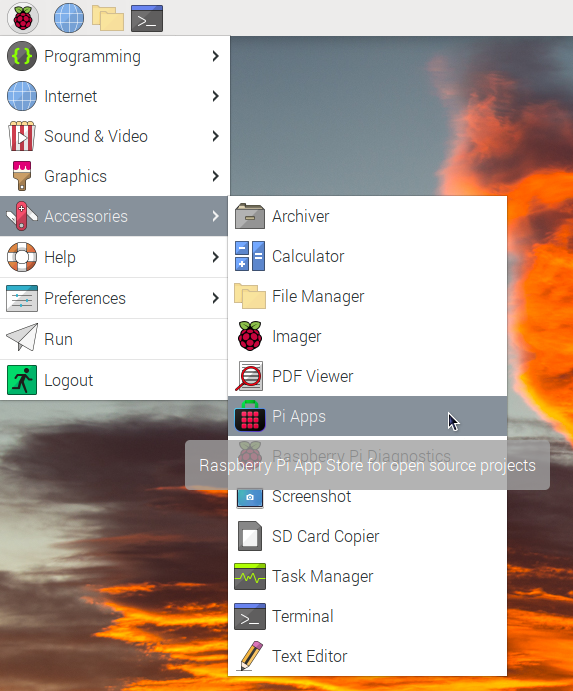
First launch Pi-Apps from your start menu:
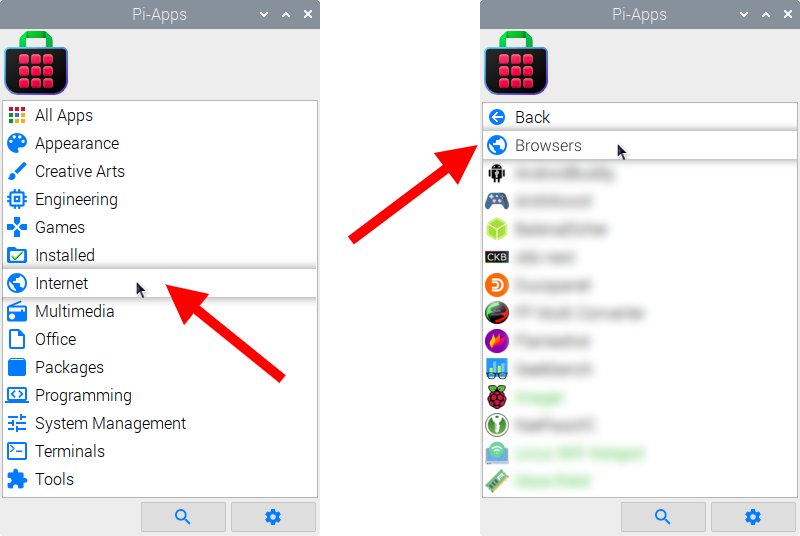
Then click on the Internet category, which leads to the Browsers category.
Now scroll down to find Chrome in the list.
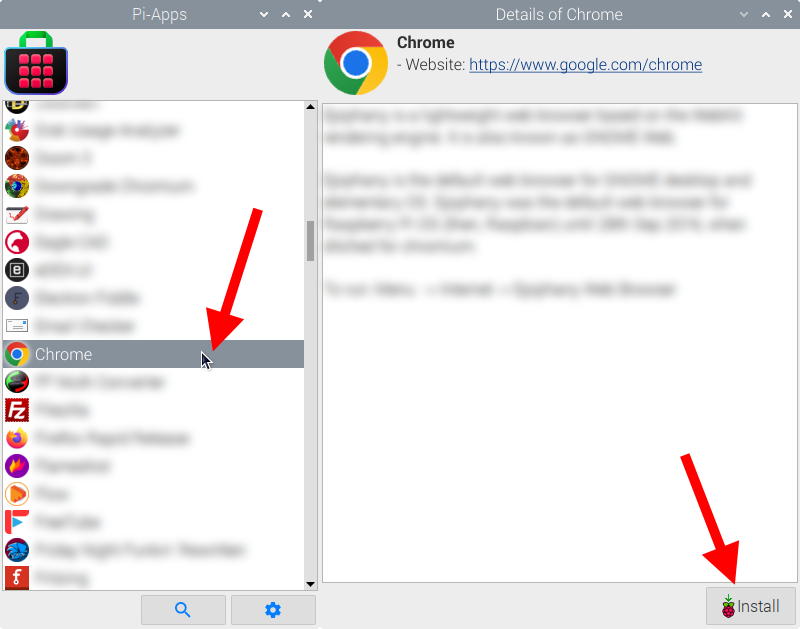
Just click Install and Pi-Apps will install Chrome for you!
Pi-Apps is a free and open source tool made by Botspot, theofficialgman, and other contributors. Find out more at https://pi-apps.io